How to Update Aadhaar Card in 2026 – Complete Step-by-Step Guide (Online & Offline)
Updating your Aadhaar card is essential if there are mistakes in your name, date of birth, address, mobile number, or biometric details. Whether you recently changed your address, corrected a spelling error, or updated your phone number, this detailed guide will explain how to update Aadhaar card online and offline, required documents, fees, processing time, and important tips.
About Unique Identification Authority of India (UIDAI)
The Unique Identification Authority of India (UIDAI) is the government body that issues and manages Aadhaar numbers in India. Aadhaar is a 12-digit unique identity number linked to your biometric and demographic details.
You can update Aadhaar details through:
- Online Mode (Self Service Update Portal – SSUP)
- Offline Mode (Aadhaar Seva Kendra / Enrollment Center)
Types of Aadhaar Updates
Aadhaar updates are divided into two categories:
1. Demographic Updates
These include:
- Name correction
- Address change
- Date of Birth correction
- Gender update
- Mobile number change
- Email ID update
2. Biometric Updates
These include:
- Fingerprints
- Iris scan
- Photograph
👉 Biometric updates can only be done offline at an Aadhaar center.
How to Update Aadhaar Card Online (Step-by-Step)
Online updates are mainly allowed for Address update and certain demographic corrections (depending on UIDAI rules).
Step 1: Visit Official Website
Go to the official UIDAI website:
https://uidai.gov.in
Click on “My Aadhaar” → “Update Your Aadhaar”
Step 2: Login
- Enter your 12-digit Aadhaar number
- Enter CAPTCHA
- Click “Send OTP”
- Enter OTP received on registered mobile number
Step 3: Select Update Option
Choose the field you want to update (for example: Address).
Step 4: Upload Supporting Documents
Upload scanned copies of valid documents (PDF/JPEG format).
Step 5: Review & Submit
Verify details carefully and submit request.
Step 6: Pay Fee
Pay update fee (usually ₹50 for online demographic update).
Step 7: Download URN
You will receive a URN (Update Request Number). Save it for tracking.
How to Update Aadhaar Card Offline (Aadhaar Seva Kendra)
If you want to update:
- Mobile number
- Biometrics
- Major name correction
- Date of birth correction beyond limit
You must visit an Aadhaar center.
Step-by-Step Process
- Visit nearest Aadhaar Seva Kendra
- Carry original documents
- Fill correction form
- Submit biometric verification
- Pay fee (₹50–₹100 depending on update)
- Collect acknowledgement slip with URN
Documents Required for Aadhaar Update
Proof of Identity (POI)
- PAN Card
- Passport
- Driving License
- Voter ID
Proof of Address (POA)
- Electricity Bill
- Water Bill
- Bank Passbook
- Rent Agreement
- Passport
Proof of Date of Birth (DOB)
- Birth Certificate
- SSLC Certificate
- Passport
👉 Always carry original documents for verification.
Aadhaar Update Fees (2026)
| Update Type | Fee |
|---|---|
| Demographic Update | ₹50 |
| Biometric Update | ₹100 |
| Aadhaar PVC Card | ₹50 |
How to Check Aadhaar Update Status
- Visit UIDAI website
- Click “Check Update Status”
- Enter Aadhaar Number + URN
- View status (Approved / Rejected / In Process)
Processing time usually takes 7–15 days.
How to Update Mobile Number in Aadhaar
Mobile number update cannot be done online.
Steps:
- Visit Aadhaar Seva Kendra
- Provide Aadhaar number
- Complete biometric verification
- Pay ₹50
- Update request submitted
Mobile update is important because:
- OTP verification
- Bank linking
- PAN linking
- Government scheme benefits
How to Update Address in Aadhaar Without Documents
UIDAI provides an Address Validation Letter option (if allowed).
You need:
- Address Verifier’s Aadhaar
- Approval through OTP
This option is subject to current UIDAI policy.
How Many Times Can Aadhaar Be Updated?
| Field | Update Limit |
|---|---|
| Name | 2 times |
| Date of Birth | 1 time |
| Gender | 1 time |
| Address | Multiple times |
Common Reasons for Aadhaar Update Rejection
- Blurred documents
- Name mismatch
- Invalid proof
- Incorrect format
- DOB limit exceeded
Always ensure documents match exactly with the updated details.
Important Tips Before Updating Aadhaar
- Use correct spelling (as per official documents)
- Ensure mobile number is active
- Keep acknowledgement slip safe
- Do not use unauthorized agents
- Always use official UIDAI website
Aadhaar PVC Card After Update
After updating Aadhaar, you can order PVC Aadhaar Card online:
- Visit UIDAI website
- Enter Aadhaar number
- Pay ₹50
- Card delivered to your address
PVC card includes:
- Secure QR Code
- Hologram
- Micro text
- Issue date & print date
Why Aadhaar Update is Important
Updating Aadhaar helps in:
- Bank KYC verification
- Income tax filing
- Government subsidy schemes
- Scholarship benefits
- Pension
- LPG subsidy
- Ration card linking
Incorrect Aadhaar details may cause rejection in government services.
Frequently Asked Questions (FAQs)
1. Can I update Aadhaar without registered mobile number?
No, for online update OTP is mandatory. For offline update, biometric verification is required.
2. How long does Aadhaar update take?
Usually 7–15 working days.
3. Can Aadhaar be updated free?
Sometimes UIDAI announces free update window for online address update.
4. Is PAN mandatory for Aadhaar update?
No, but it is useful as POI document.
Updating your Aadhaar card is a simple but important process. Whether you choose online update through UIDAI portal or offline update at Aadhaar Seva Kendra, always:
- Use correct documents
- Double-check details
- Keep URN safely
- Track status regularly
Aadhaar is linked to banking, taxation, government schemes, and subsidies. Keeping it updated ensures smooth access to all benefits.
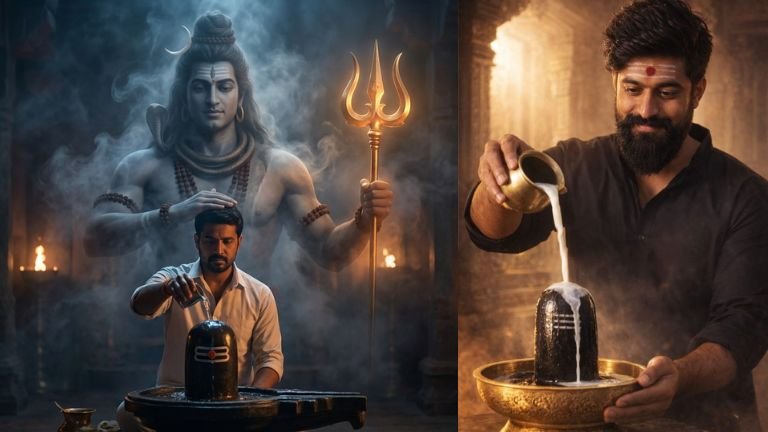
Prompt
Use the uploaded image as primary base image and strict identity reference.
Do NOT change the man’s face, hairstyle, beard density, expression, pose, outfit, body proportions, lighting direction, camera angle, or background structure.
Preserve exact facial geometry, natural asymmetry, skin tone, curl pattern, and beard texture.
No beautifying. No smoothing. No face reinterpretation.
Keep the man exactly as he is — gently offering water to the Shivling in the same posture and same lighting.
Add Only This:
Behind him, subtly integrate a majestic, shadowy Lord Shiva form emerging naturally from the existing smoke and darkness in the background.
Shiva must look:
• Divine but realistic
• Muscular, broad-shouldered
• Calm, protective expression
• Made of soft shadow and subtle smoke texture
• Semi-transparent (not solid CGI figure)
• Blended into existing lighting environment
Place Shiva very close behind the man like a spiritual guardian presence.
Shiva details:
• One hand holding a softly glowing golden trident (real metal texture, warm light reflection, not neon glow)
• Small crescent moon resting naturally in Shiva’s hair
• Other hand placed gently on the man’s head in blessing gesture
• Rudraksha beads on Shiva
• No over-dramatic aura
• No excessive lightning effects
The glow from trishul must softly illuminate surrounding smoke realistically.
Lighting Control
Maintain original lighting mood.
Dark cinematic temple interior.
Soft firelight + cool blue ambient tones.
Natural shadow falloff.
No fantasy light beams.
No HDR exaggeration.
Shiva must blend with environment like divine presence captured in camera — not like a digital painting.
Camera & Realism
Keep same framing and composition.
Same depth of field.
Same color grading.
Photo-realistic texture.
No AI artifacts.
No symmetry errors.
No plastic skin.
No over-sharpening.
Ultra-real cinematic devotional realism.
Looks like photographed supernatural moment.
Aspect ratio 3:4
Mood: sacred, calm, divine, protective